Dolibarr WooCommerce Integration: automatically sync prices, orders, and invoices
The problem: WordPress on one side, Dolibarr on the other
WooCommerce is the world's most popular e-commerce plugin, thanks to the WordPress ecosystem. Dolibarr is the go-to open source ERP for small and medium businesses. Together they cover online selling and back-office management — but without a bridge between them, you're the one doing the bridging.
Every price change in Dolibarr has to be copied into WooCommerce. Every WooCommerce order has to be re-entered in Dolibarr. Every invoice is created manually. Every shipment is marked on both sides. With simple products, it's already tedious. With variable products (sizes, colours, bundles), the workload explodes.
The consequences are predictable: inconsistent prices between the two systems, orders that slip through the cracks, late invoices, customers who never receive their tracking number. Each mistake costs time, credibility, and sometimes money.
Available options
Option A: custom development. Commission a connector between the WooCommerce REST API v3 and the Dolibarr API. High cost, ongoing maintenance with every WordPress or WooCommerce update, and a dependency on a single contractor.
Option B: generic WordPress plugins. A few plugins offer ERP connections, but few know Dolibarr. Generic automation tools (Zapier, n8n) don't understand WooCommerce specifics (variable products, variations, order metadata).
Option C: ERPkit — a sync tool built for Dolibarr. A free Dolibarr module, a cloud service that communicates with WooCommerce via its REST API v3, and a web interface to configure everything — no code required.
Setting up ERPkit in 6 steps
Step 1: Install the free Dolibarr module
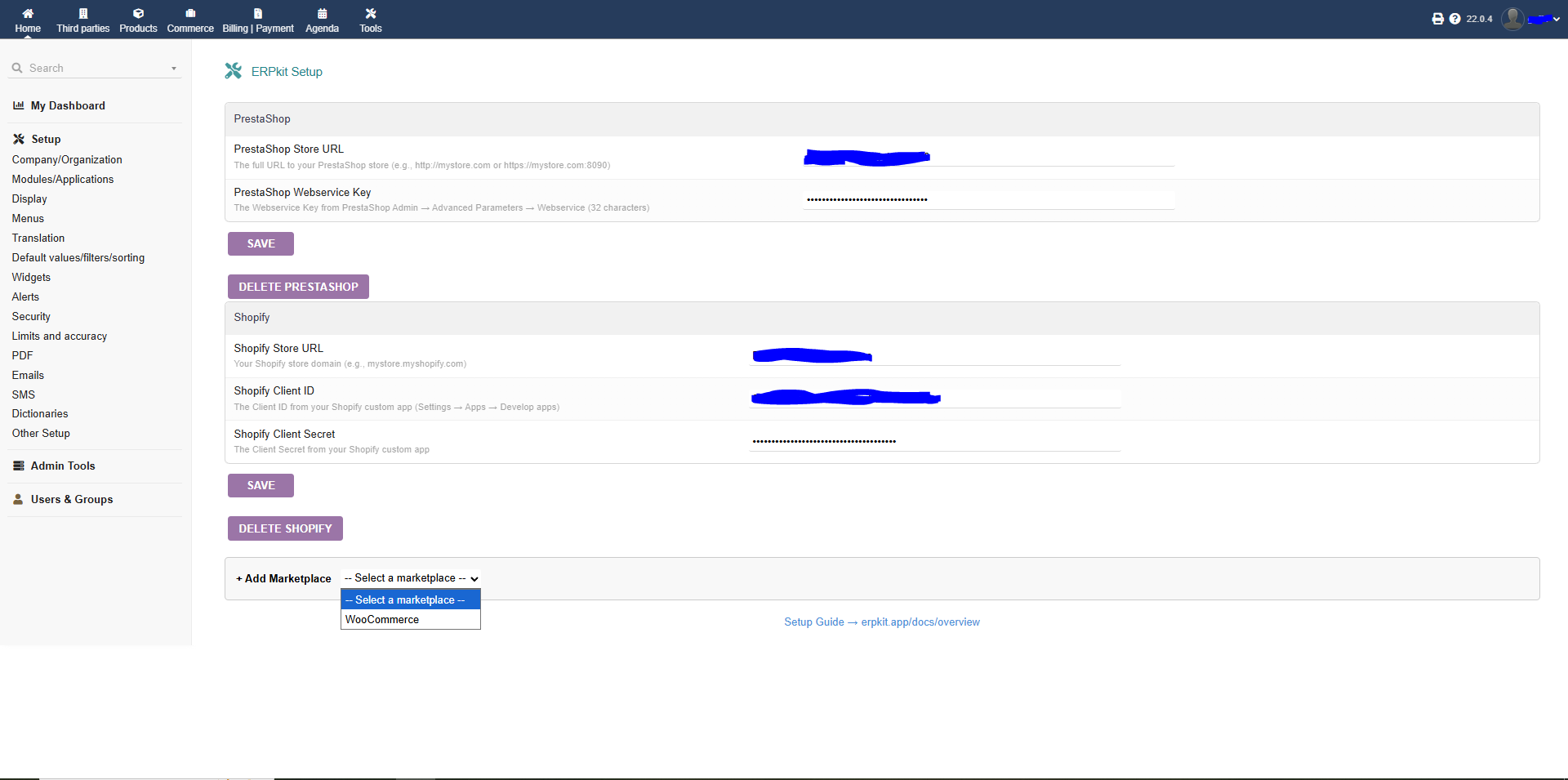
Download the ERPkit module from DoliStore (free, open source GPL v3). In Dolibarr, activate it via Home > Setup > Modules/Applications. The module adds a woocommerce_variant_id field to your product cards and a configuration page for your WooCommerce credentials.
Step 2: Generate your WooCommerce API keys
In your WordPress admin, go to WooCommerce > Settings > Advanced > REST API. Create a new key with Read/Write permissions. Note the Consumer Key and Consumer Secret — you'll need them next. Then in the ERPkit configuration page in Dolibarr, enter your store URL and both keys.
Step 3: Create an ERPkit account (free)
Head to app.erpkit.app and create your account. The free Solo tier includes 1,000 synced products, 50 imported orders, and 50 invoices per month.
Step 4: Connect your Dolibarr instance
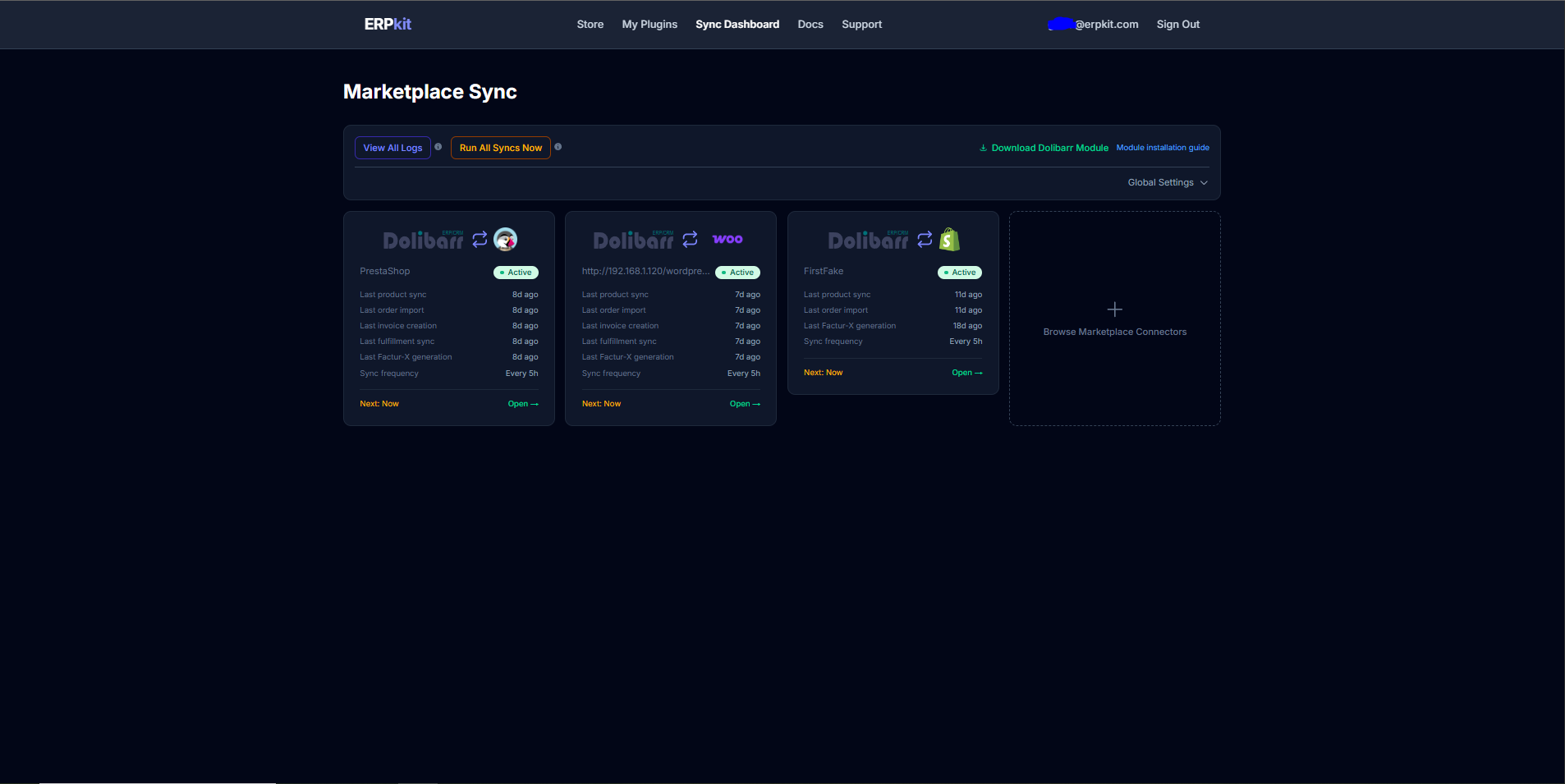
In the ERPkit interface, add a new sync configuration. Select WooCommerce as the marketplace, enter your Dolibarr URL and API key. ERPkit verifies the connection automatically.
Step 5: Map your products (automatic matching)
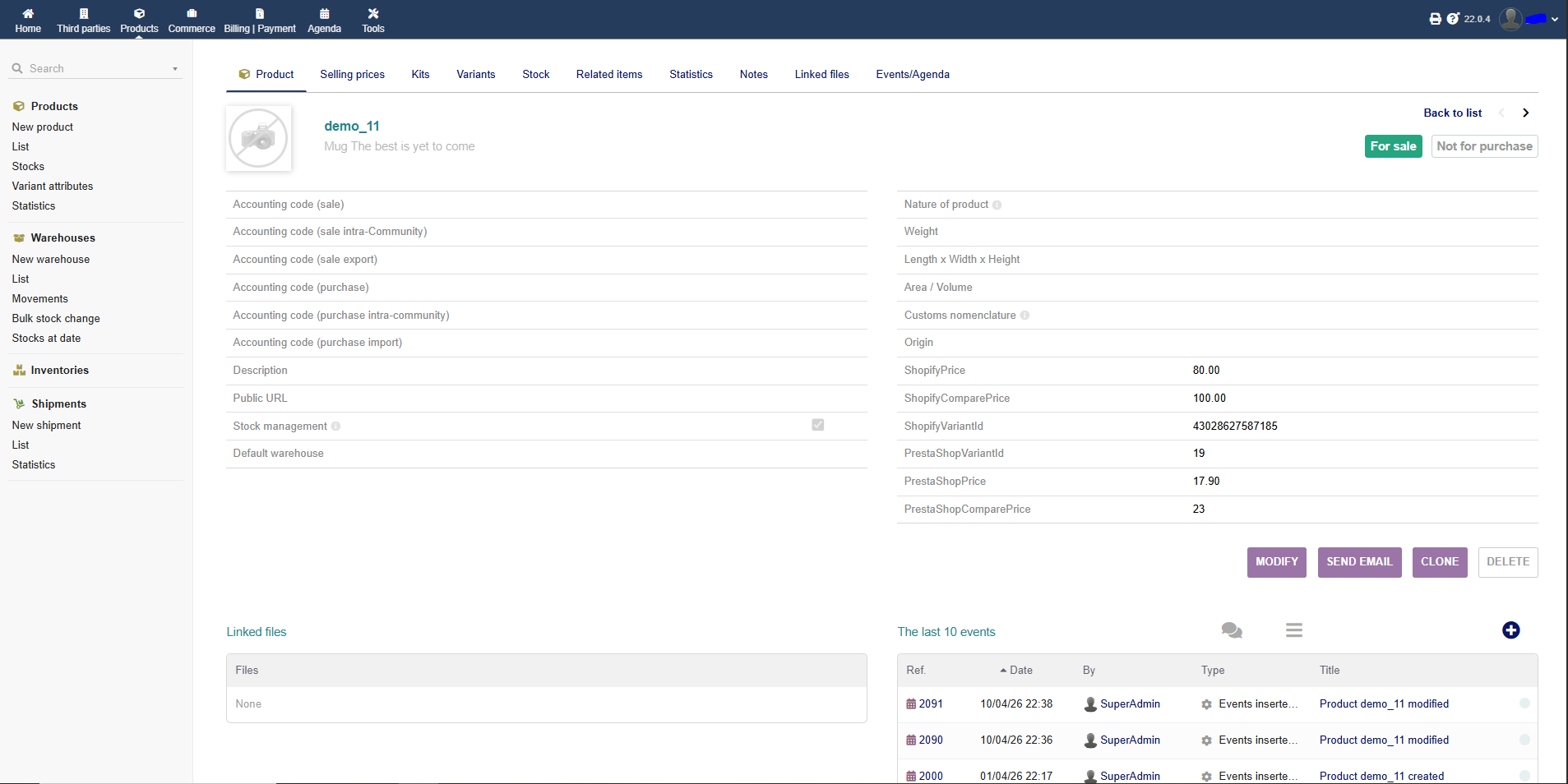
ERPkit automatically matches your Dolibarr products to WooCommerce products and variations by comparing references (SKUs). It works with both simple and variable products. Open the Product Mapping tab, run the auto-match, and review the associations. For edge cases, manually enter the variation ID in the woocommerce_variant_id field on the Dolibarr product card.
Step 6: Run your first sync
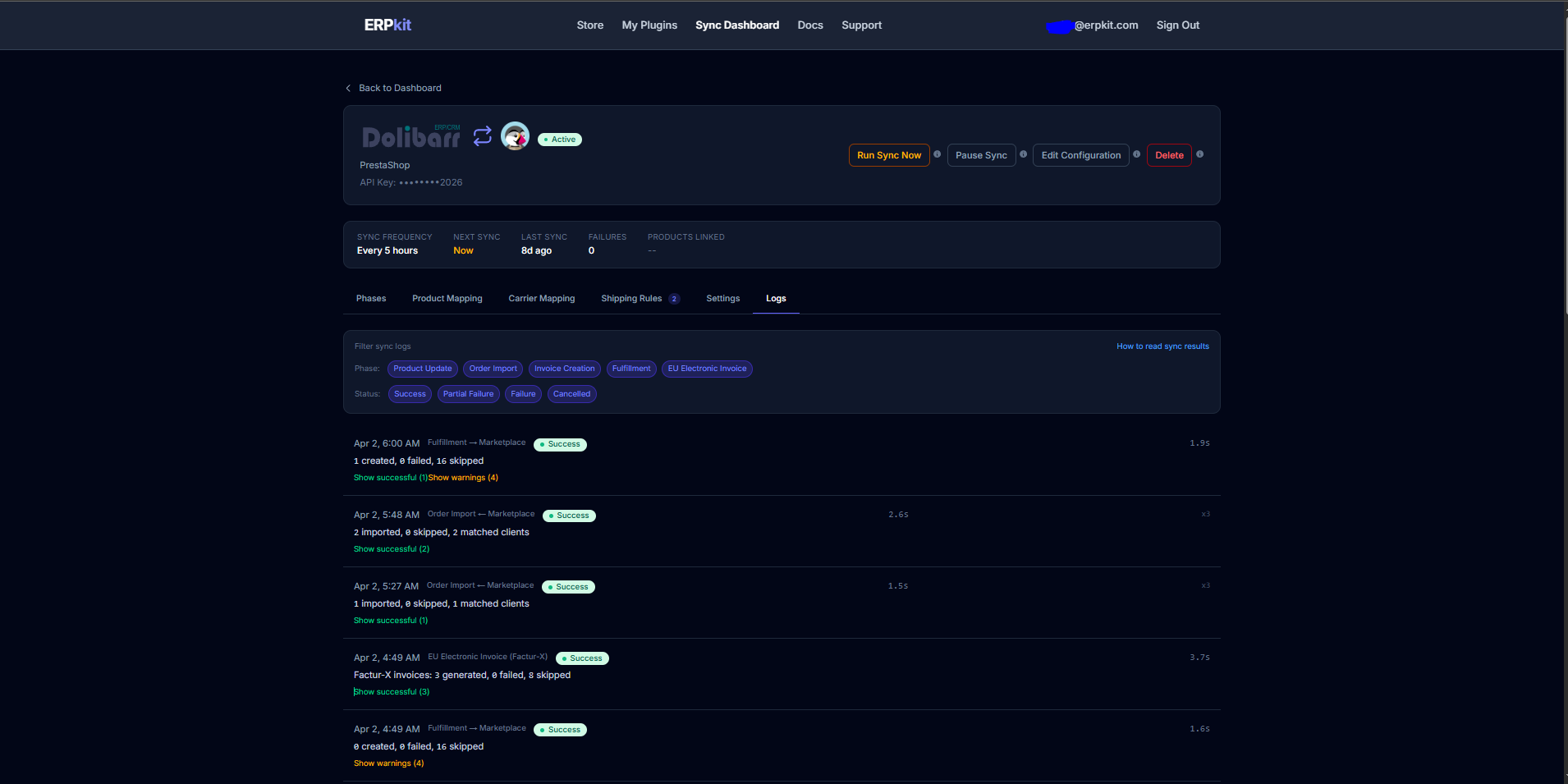
From your configuration detail page, launch the sync. ERPkit pushes prices, compare-at prices, weight, and barcodes from Dolibarr to WooCommerce. Smart delta sync means only changed products are sent.
What's next?
Once product sync is in place, ERPkit also handles:
- Order import — WooCommerce orders arrive in Dolibarr with customer matching by email and product linking.
- Invoice generation — Invoices created, validated, and marked as paid automatically.
- Fulfillment — Shipment status and tracking numbers pushed back to WooCommerce from Dolibarr.
- Factur-X — EU-compliant electronic invoices (PDF/A-3 + CII XML) to stay ahead of e-invoicing regulations.
Important: ERPkit only sends prices, weight, and barcode data to WooCommerce. Your product titles, descriptions, images, and SEO data are never modified.
Get started free
No credit card required. The free Solo tier includes 1,000 products, 50 orders, and 50 invoices per month. The Dolibarr module is free and open source (GPL v3).
Get Started FreeFrequently asked questions
- Does ERPkit handle WooCommerce variable products?
- Yes. Each Dolibarr product maps to a specific WooCommerce variation. Automatic matching by reference (SKU) works with both simple and variable products.
- What data is synced to WooCommerce?
- Prices, compare-at prices, weight, and barcodes from Dolibarr to WooCommerce. Order import, invoice generation, and fulfillment push-back.
- Is the Dolibarr module free?
- Yes. Free and open source (GPL v3). The sync service offers a free Solo tier. Paid plans from €39/mo.
- Do I need technical skills?
- No. Installation takes a few clicks. WooCommerce API keys are generated in WordPress settings. Everything is configured from the ERPkit web interface.
- Is my data stored on your servers?
- No. Your WooCommerce credentials stay in your Dolibarr. No data retention.